
After you install the software plug-ins, CodeWarrior allows you
to specify a Perl script as a prefix file for your project. In
order to use the Perl script, you must first add it to your project.
Then, you must configure CodeWarrior to recognize the newly added
script by specifying its name in the Perl target settings panel.
After you complete these settings, CodeWarrior treats the script
as an implicit require file. The require directive is the Perl equivalent of the #include directive in C/C++.
To display the Perl settings panel, choose the Target Settings command from the Edit menu. The actual name of this command depends on your currently
selected build target.
Figure A.1 Perl Target Settings Panel
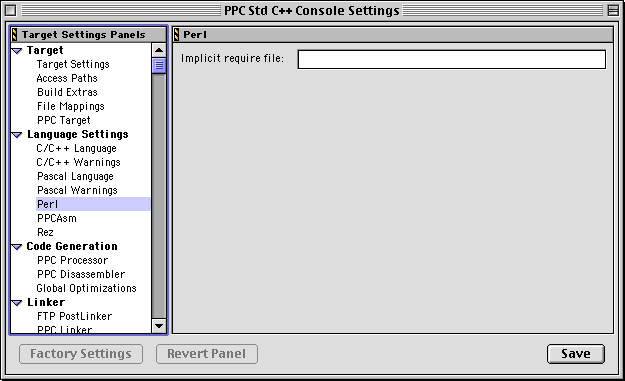
Scroll through the list on the left side of the Target Settings window and highlight the Perl item. The Perl settings panel appears on the right side of the Target Settings window, as shown in Figure A.1.
After adding the Perl script to the project, enter the file name
of the Perl script in the Implicit require file field. CodeWarrior treats this file as an implicit Perl require file when you build the project.
 NOTE
NOTE The Perl plug-in for CodeWarrior uses the find-and-load functionality of the IDE. This functionality depends on the ability of the IDE to find referenced files using absolute paths. You must specify the access paths for any files in the Perl script or the implicit require file that are not referenced via absolute paths. You specify this path information in the Access Paths settings panel. For more information, see the discussion about Access Paths in the IDE User Guide.