[ First ] [ Previous ] [ Next ] [ Last ] [ Manuals ]
Find and Replace Dialog Box

The Find and Replace dialog box, shown in Figure 6.2, allows you to find and replace text in the active editor window. To display this dialog box, choose Search > Find and Replace
See "Find Options" for more information about the options in this dialog box.
Find and Replace Dialog Box: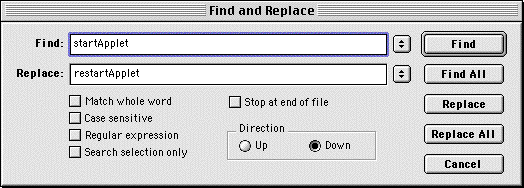
[ First ] [ Previous ] [ Next ] [ Last ] [ Manuals ]
Visit the Metrowerks website at: http://www.metrowerks.com
For assistance contact Metrowerks Technical Support at: cw_support@metrowerks.com
Copyright © 2000, Metrowerks Corp. All rights reserved.
Last updated: August 17, 2000