
You might want to switch between multiple build targets in a project when compiling files. To learn more, refer to "Setting the Current Build Target."
The Compile command in the Project Menu is grayed out in the following situations:
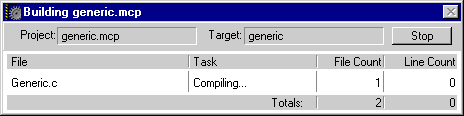
To compile a single file in your project, select that file in the Project window and choose Compile from the Project Menu.
Alternatively, you can open the file in the CodeWarrior editor, make the editor window the active window, and choose Compile from the Project Menu.
You can compile several files in your project by selecting those files in the Project window and then choosing Compile from the Project Menu. To learn how to select several files in your project, refer to "Selecting Files and Groups."
CodeWarrior does not always recognize file changes and might not automatically recompile the file. You can force CodeWarrior to recompile a changed file by "touching" that file. To learn how to touch a file, refer to "Touching and Untouching Files."
After touching the file or files that you want to recompile, choose Bring Up To Date or Make from the Project Menu.