You will need a copy of the OLE/COM Object Viewer application from Microsoft in order to understand how to interpret the interfaces to the CodeWarrior IDE.
You can find this application on the world wide web at:
http://www.microsoft.com/com/resources/oleview.asp
Other helpful editing and debugging tools may also be available from third-party vendors.
Here is a quick list of the steps you should perform to learn about using the object viewer.
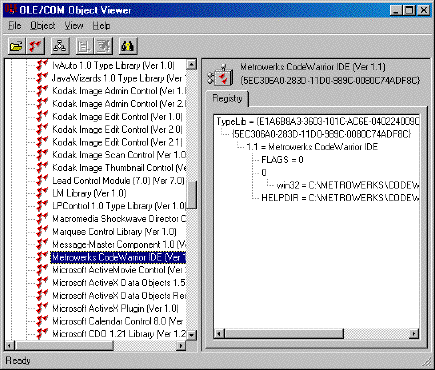
1. To use OLE/COM Object Viewer, launch it and you will see something similar to Figure 3.1.
 NOTE
NOTE In the Visual Studio 6.0 developer tools product from Microsoft, the application is instead called OLE Viewer.
2. Use the View menu to set Expert Mode.
3. Click on the plus sign "+" next to Type Libraries in the left window pane.
4. Scroll down to find and click on the Metrowerks CodeWarrior IDE entry.
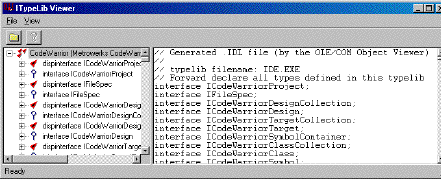
5. If you double-click on the Metrowerks Codewarrior IDE entry, a window like that shown in Figure 3.2 appears.
NOTE If you don't get this window, make sure you have the latest version
of oleview.exe from the Microsoft web site mentioned earlier in this section.
This view shows all the IDL (Interface Definition Language) for the COM objects. You can browse any particular area of interest to delve into the internals of the scripting interfaces. In particular, pay attention to coclasses, dispinterfaces, interfaces, and enums.
Using this information you can determine how to talk to the IDE to control its behavior through scripting. To learn how to do this, refer to "An Example Script Command."