
The IDE features a Layout editor that displays each layout in your project. The Layout editor uses the IDE's plug-in architecture to display the user interface. For example, when you create a Java RAD project, the IDE uses the Java RAD plug-in to display the user interface in the Layout editor. Figure 12.16 shows a sample layout.
A layout in the Layout editor: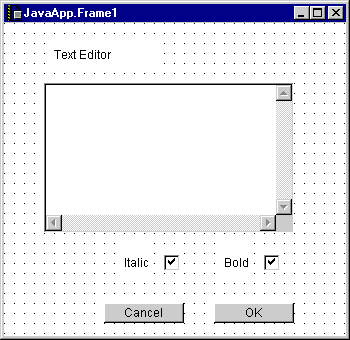
The Layout editor works in conjunction with the catalogs to build an application. All of the available components for your RAD project are managed by catalogs. The Component Palette and the Component Catalog window let you view and use the contents of these catalogs. When you add a new interface element to the layout, you can drag a component from the Component Catalog window and drop that component into the layout. You can also select the same component from the Component Palette, which is shown in Figure 12.17.
Component Palette: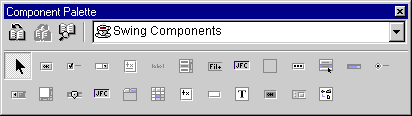
To learn how to create layouts and use the Layout editor, see "RAD Layout Editing".
"Component Palette" and "Component Catalog window" describe the two catalog tools you use with the Layout editor.
"RAD Components" describes the individual components inside the catalogs included with CodeWarrior.