
The Methods view, shown in Figure 15.3, displays information about the methods of the selected component in the Classes pane. This tab view is divided into the Methods pane and the Implementation pane.
Browsing methods: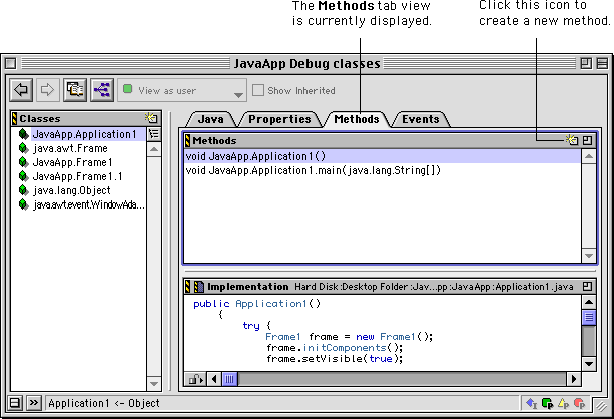
The Methods pane lists the methods for the selected component. When you select a method in this list, the implementation for that method is shown in the Implementation pane. To learn how to create new methods, see "New Method Window".
The Implementation pane is similar to the Source pane. This pane displays the selected method's implementation in your source code. The source code in the pane is fully editable. The top of the pane shows the path to the file containing the implementation.