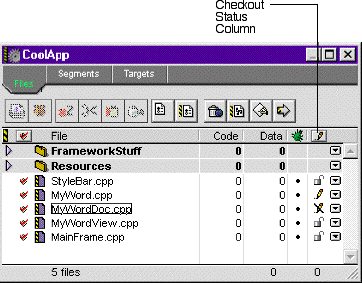
When version control is activated for a project, the Checkout Status column appears in the Project window (Figure 16.6). This column uses various icons to represent the current checkout status, or file permission, of the project files. Whenever you change the checkout status of a file in the CodeWarrior IDE, this column updates to reflect the change.
Checkout Status Column: