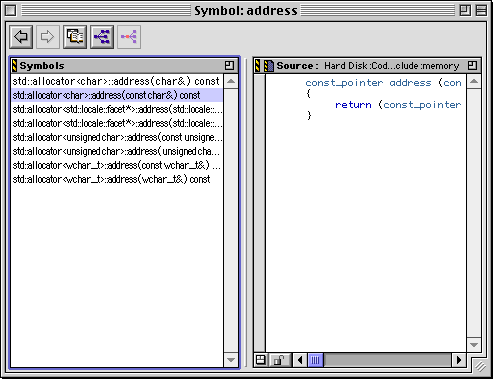
After selecting an implementation in the Symbol window list, you see its definition in the Source pane. Figure 7.9 shows the Symbol window.
You open a Symbol window by right-clicking (Windows) or clicking and holding (Mac OS, Solaris, and Linux) on a symbol name in any browser or editor window for which there is information in the browser database. When you do, a Browser Contextual Menu is displayed. If the item has multiple implementations, choose Find all implementations of. When you choose that item, the Symbol window displays.
 TIP
TIP
Most of the items in this window are identical to the Browser Window. For a discussion of the window in general, see "Browser Window". That topic includes discussion of these items, also found in the Symbol window:
The Symbol window also has two unique items: the Symbols pane and the Orientation button.The Symbols pane has the focus outline in Figure 7.9. This pane lists all versions of a symbol in the database. When you select an item in the Symbols pane, that item's definition appears in the Source pane.
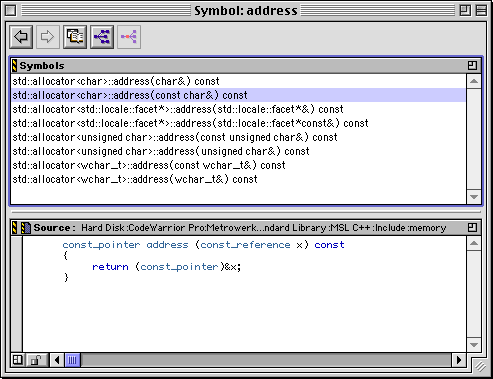
The Orientation button toggles the position of the Symbols pane and the Source pane. The position toggles between Figure 7.9 and Figure 7.10.
The Symbol window in vertical orientation: