
The Layout Editor preference panel, shown in Figure 8.30, provides options for configuring the Layout Editor's behavior.
Layout Editor Preference Panel: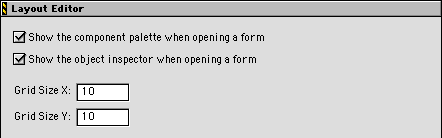
Enable this checkbox to automatically display the Component Palette after opening a layout in the Layout Editor. For more information, see "Layout Editor" and "Component Palette".
Enable this checkbox to automatically display the Component Palette after opening a layout in the Layout Editor. For more information, see "Layout Editor" and "Component Palette".
Enter in this field the number of pixels between markings on the x-axis of the Layout Editor grid.
Enter in this field the number of pixels between markings on the y-axis of the Layout Editor grid.