
The tab control displays one view at a time. Click a tab name to display its associated view. For example, click the Java tab in Figure 15.1 to display the Java view. This particular view shows Java RAD information for the selected component in the Classes pane.
The Browser window for a Java RAD project: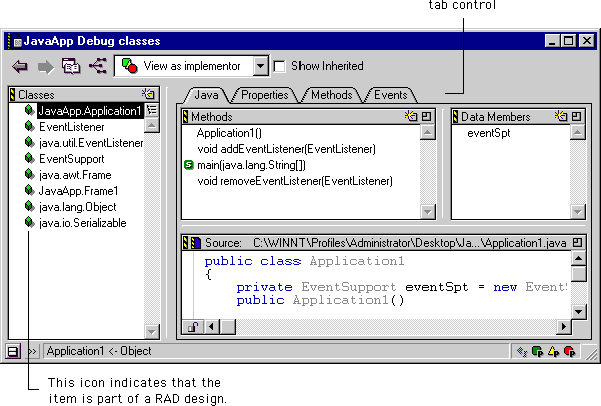
When you click a Properties, Methods, or Events tab, the corresponding view only displays information for public data not inherited from other member functions. In such views, both the Browser Access Filters pop-up menu and the Show Inherited checkbox are grayed out, indicating that you cannot change these settings. Figure 15.2, Figure 15.3, and Figure 15.4 show the resulting Browser window.